What Claude Adoption Really Looks Like for a Small Business

· 6 min read
You bought the licenses. You ran the lunch-and-learn. A few people use the chat window to rewrite emails, and everyone else went back to how they worked before. If that sounds familiar, the problem usually isn't the tool. It's that "adopting AI" got treated as a purchase instead of a change in how work gets done.
We wanted to know what real adoption looks like, so six of us inventoried every way we use Claude across the business: every skill, connector and app, and every project it touched. This is the result.
Adoption is a map, not a tool
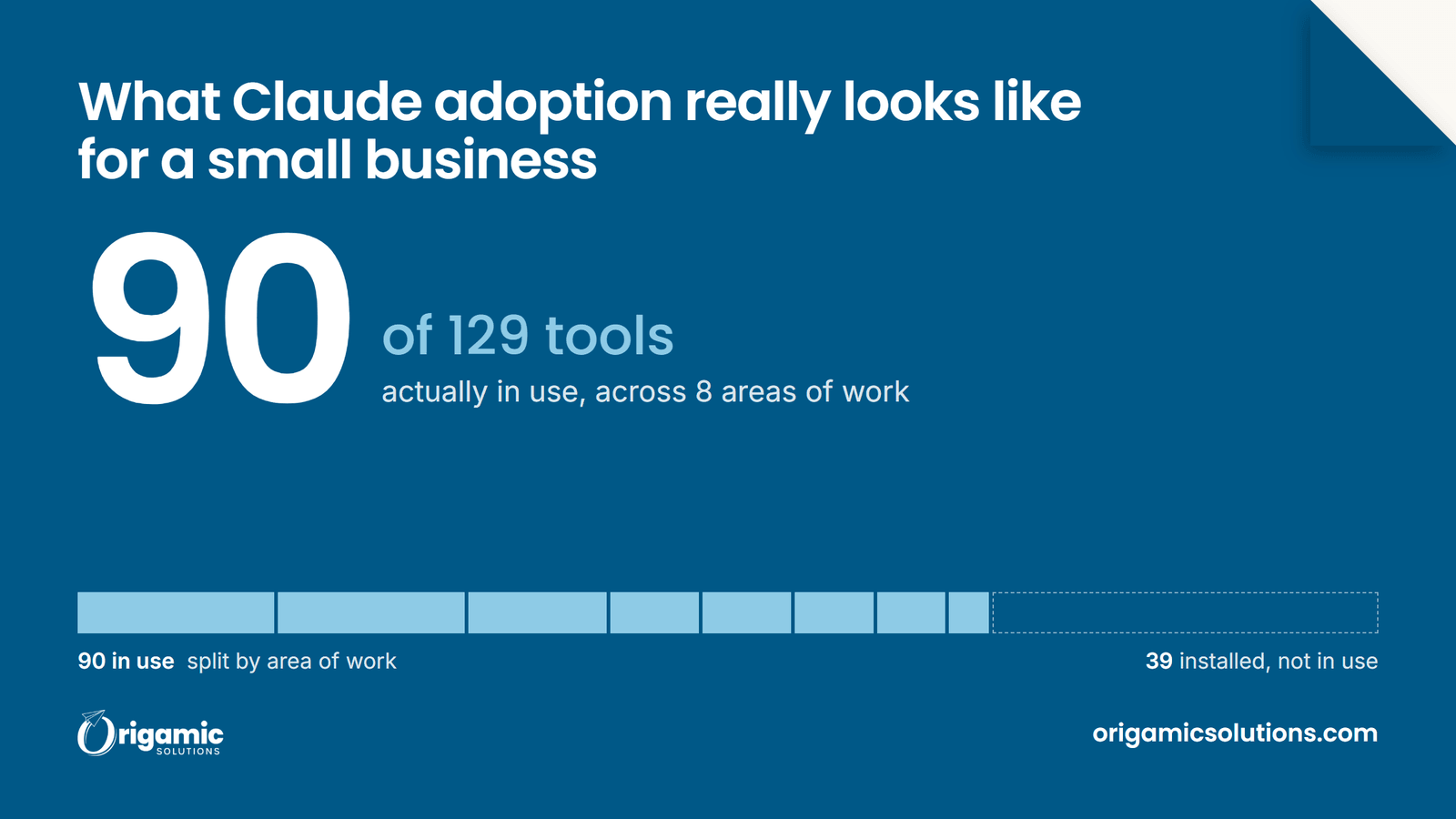
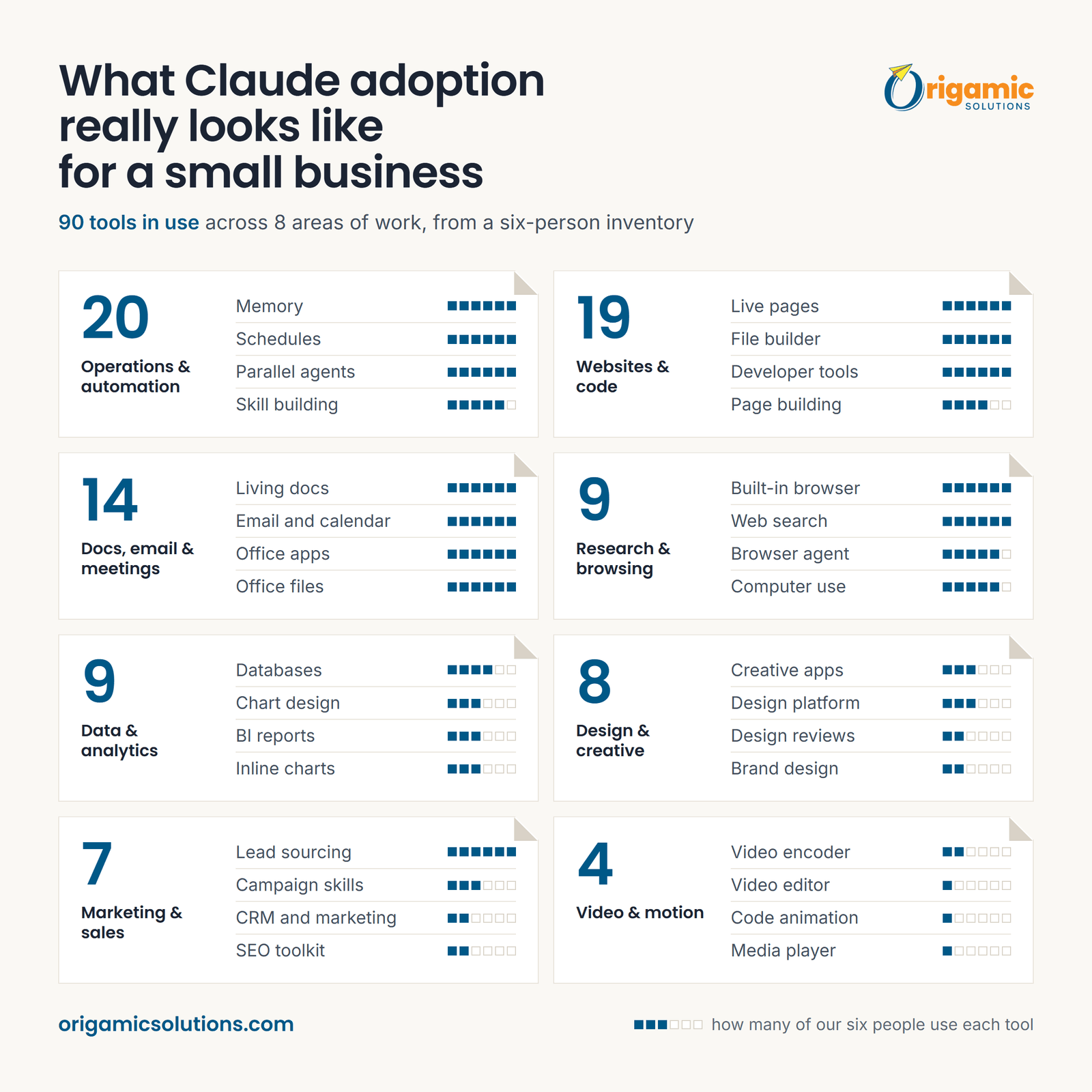
Across six people we found 129 tools installed. Only 90 of them are actually in use, spread across eight areas of work. The ones that work fall into three kinds:
- Skills teach Claude how we do something. One checks every website change against our design standards. Another drafts a blog post in our voice and opens it for review.
- Connectors let Claude act in the systems we already run: our CRM and marketing platform, email and calendars, design tools and our own operations app.
- Local tools are the apps on a laptop that Claude can drive: video tools, scripting, office software and the version control we use to publish code.
None of this is impressive on its own. The value shows up when they work together on a real job.
What surprised me most was how quickly this map grew and how seamlessly it came together. Skills, projects and cross-functional documentation that the whole team can work from got picked up across every role, not just by the one or two people who like new tools.
What it actually produced
Here's some of what that map has carried across the team in the last few months.
Marketing and sales
- A looping booth video for expos. Claude wrote the animation as code, rendered it to video and set it up to play on repeat at our booth. When we wanted a seasonal version, we made it in-house.
- A full website redesign, with an automatic design check on every edit and a preview link for every change before it goes live.
- An internal analytics dashboard that sorts website visitors into real companies, internet providers and bots, so the sales team stops chasing crawlers.
- Prospect research checked against our ideal customer profile and loaded straight into our operations app.
- A monthly set of social posts, sized for each platform.
- A strategy deck and a sales plan built from the same source material.
Running the business
- Our own operations app, built with Claude: timesheets, payroll hours, status reports and lead sourcing. It's now our system of record.
- A timesheet that logs Claude's actual working time on each task, so AI hours get reported right next to consultant hours.
- An internal Claude training session, with a slide deck and a facilitator guide, so the rest of the team could start building their own skills.
Client and product work
- A coaching platform with booking, an admin panel and an AI chat assistant, built and live on the web.
- Formatting and compliance checks on proposal responses: section breaks, tables, heading order and a table of contents that actually matches the document.
- Customer-specific manuals filled from one template, with a reusable skill so the next one doesn't start from scratch.
Each of these is work we would otherwise have done by hand or paid someone else to do.
The gap between installed and in use
That leaves 39 of our 129 tools that weren't pulling their weight. Some were installed and never signed in. Some were plugins nobody had opened. Some did the same job as another tool the team already preferred.
We didn't expect the gap to be that big. If a team that works with AI every day has one, yours probably does too, and it's worth finding before it turns into clutter, cost or risk.
The parts nobody puts in the case study
Real adoption is messier than a vendor demo. Some of our tools are installed but still waiting on a sign-in or a fix. A project or two sits on hold while we sort out licensing. We've run into file-format quirks and service limits that had nothing to do with AI and still slowed the work down.
We also learned that Claude follows house rules best when they're written down where it can find them. A style correction we used to make by hand on every draft stopped coming up once it lived in Claude's memory for the project.
How to map your own adoption
You don't need 90 tools to get started. You need an honest picture of where you are:
- List what's installed. Include the AI features already inside the software you pay for, and ask everyone on the team, not just the enthusiasts.
- Group it by area of work, not by vendor. "Marketing" and "operations" mean something to your team. Product names don't.
- Tie each tool to one outcome. If you can't name the job it did last month, it isn't adopted yet.
- Mark what's broken or unused. Then decide whether to fix it, train on it or turn it off.
How to clean up what you find
Once the gaps are on paper, clear them out instead of letting them pile up:
- Sign in or uninstall. A connector that has waited a month for someone to sign in isn't going to get used. Connect it this week or remove it.
- Turn off what nobody uses. If no one can name a job a tool did recently, switch it off. You can always add it back.
- Keep one tool per job. Where two tools overlap, keep the one your team actually reaches for and retire the other.
- Give every tool an owner. Someone should know why it's installed and notice when it breaks.
- Check what each tool can reach. Limit connectors to the folders and accounts they need, and move any passwords or keys sitting in plain files into a password manager.
- Run the inventory again on a schedule. A quarterly check keeps the map honest as people add new tools.
Do this once and you'll see where AI is already saving time, where it's stalled and which gaps matter most to your margins. Keep doing it and you'll have adoption that sticks.
Map your AI adoption with us